Friday, May 29, 2026
Finding the Right Car Rental Software for Medium Size Businesses
When you start a car rental company with ten cars, you can manage the chaos with willpower only. A few spreadsheets, a shared Google Calendar, and a WhatsApp group are usually enough to keep the wheels turning.
But something shifts when you cross the 10, 20, or 40-vehicle mark.
Suddenly, you aren’t just renting cars anymore; you are managing complex logistics. You have a mid-sized fleet, multiple team members handling handovers, an influx of multi-channel bookings, and a mountain of paperwork that never seems to shrink. If your operations rely on the memory of your staff or fragmented tools, things will fall through the cracks.
Medium size businesses need a specific operational balance. You are too big to rely on manual tracking, but you don't want the rigid, overly complex enterprise systems that cost thousands in setup fees and require a dedicated department just to onboard a new employee and put them through a two-week software training course.
Here is what it actually takes to run a mid-sized operation smoothly, and how to find the right car rental software for medium size businesses.
The Mid-Size Trap: Where Spreadsheets Break
When operations expand, car rental companies face very specific hurdles. In a mid-sized company, you generally face these three:
- The Desk vs. Garage Disconnect: The front office takes a booking or extends a rental, but the garage team doesn't get the update in time. Result? A customer stands waiting for a vehicle that is still dirty or out for routine maintenance.
- The Digital Signature Shuffle: Chasing customers for contract signatures via back-and-forth emails is a massive time sink. When you manage dozens of check-ins a day, you need a single, legally binding flow that handles contracts before the renter ever arrives.
- Multi-Channel Confusion: Bookings come from your own website, walk-ins, local corporate contracts, and potentially third-party brokers. If your central system doesn't reflect actual availability instantly, overbookings happen.
Let’s look at some of the best ways to handle typical, medium-sized car rental roadblocks.
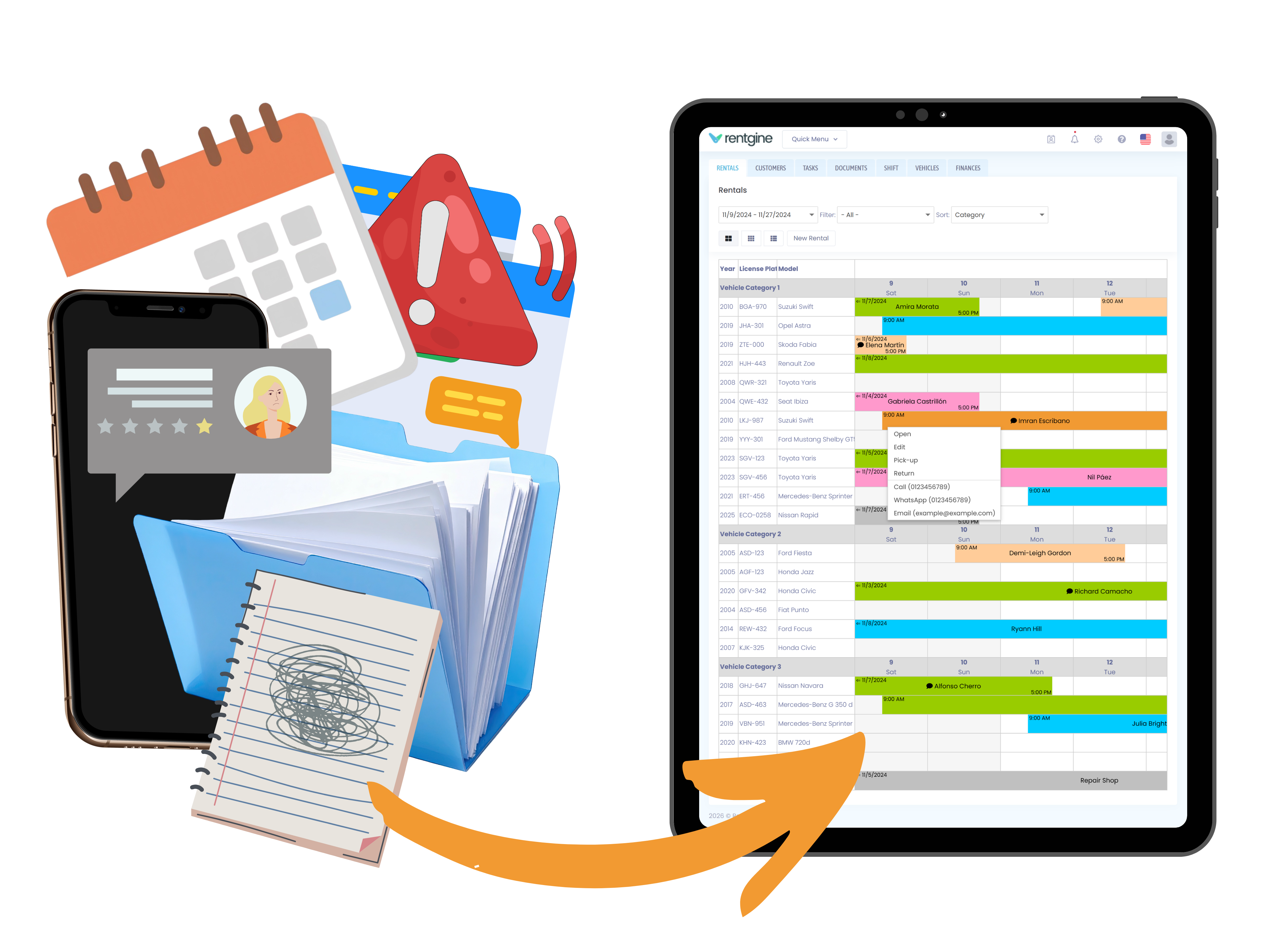
1. A Visual Command Center (That Anyone Can Learn in 5 Minutes)
When your fleet grows, you can't waste time clicking through multiple sub-menus to figure out which vehicles are unassigned or due for an oil change. You need a centralized view where operations can be managed straight from the calendar layout.
If a corporate client in Madrid calls to extend their compact SUV rental by three days, your desk staff should be able to update that booking in 5 seconds. No opening separate spreadsheets, no awkward minutes spent deciphering handwritten notes. And the system updates your availability instantly.
2. Field-Ready Condition Tracking
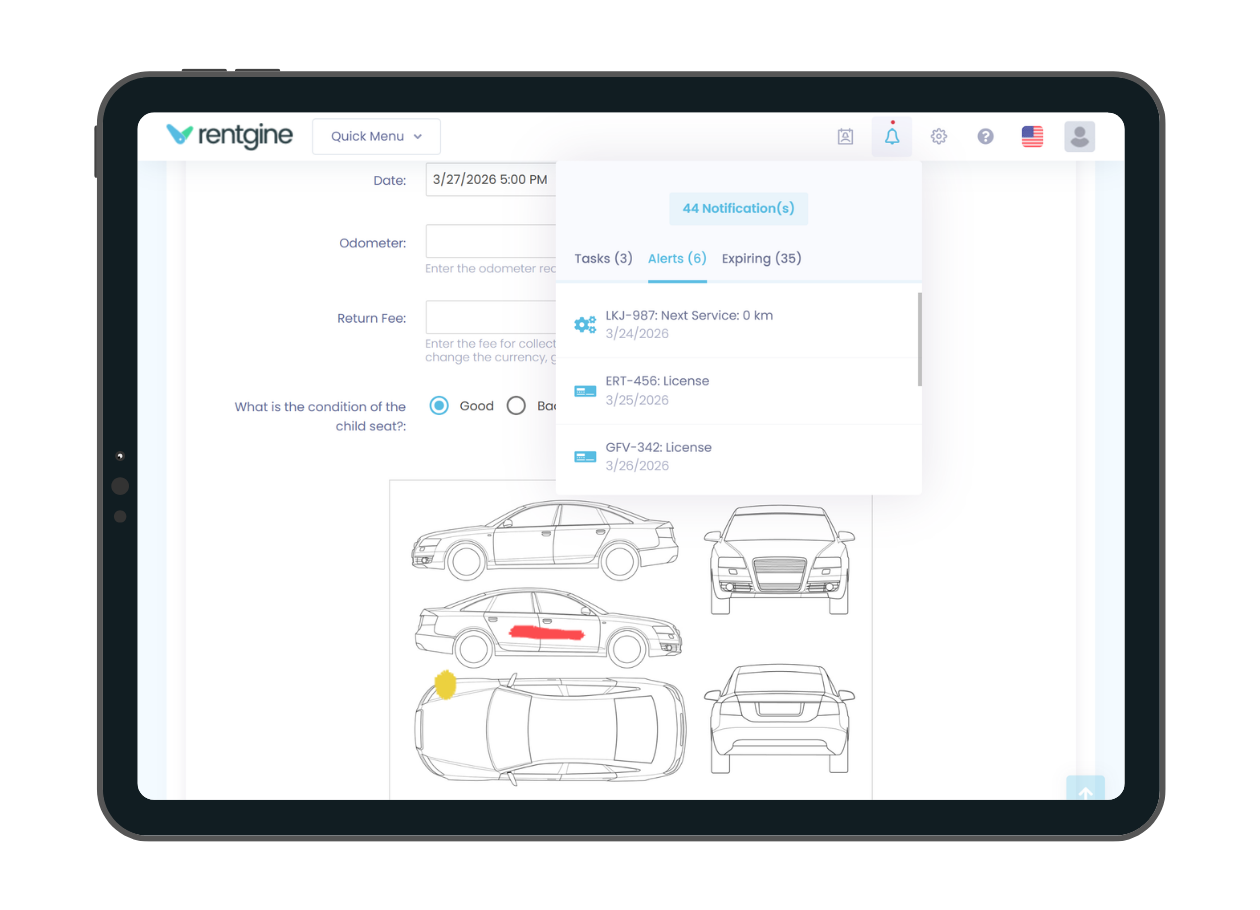
With more cars moving in and out, damage disputes escalate. Your garage team needs an interface they can access on a tablet or mobile phone during handovers. Checking off return checklists, marking scratches on a visual vehicle layout, and uploading photo proof directly to the active digital record eliminates the "that dent was already there" argument entirely.
Real-World Example: Navigating Peak Season Expansion
Consider a growing car rental provider operating across tourist hubs in Spain, like Alicante and Málaga. During the summer rush, their fleet expands rapidly to handle incoming holiday traffic. Managing 30+ vehicles across multiple drop-off points with physical papers or basic spreadsheets turns a minor mistake into a costly logistical nightmare.
By moving to a unified digital system, their team logs vehicle condition on-site via mobile devices, handles contracts remotely before arrival, and tracks mileage and fuel variances instantly. Instead of a chaotic desk with long queues, the turnaround is fast, and the data is clean.
3. Flexible Custom Fields for Real Workflows
Every medium size business has its own quirks, specific regional regulations, or localized upsells. Standard enterprise software locks you into rigid fields. The right car rental software for medium size businesses lets you add custom tracking options without writing a single line of code.
Evaluating Your Options
|
Your Operational Challenge |
How Rentgine (Car Rental Software) Solves It |
|
Staff bottleneck at peak hours. Long queues forming at the counter during morning pick-ups. |
Remote Digital Signatures. Contracts are sent, reviewed, and signed securely via eIDAS-compliant links before the customer arrives. Pick-up becomes a 2-minute key handover. |
|
Untracked vehicle damage. Hard to prove when or how a panel was scratched between rentals. |
Visual Return Checklists. Staff upload photos and mark damage directly onto a digital schematic during check-out and return. The history stays tied to the car. |
|
Chasing customers for updates. Delays in returns or missing documentation require constant phone tag. |
Integrated Communication. Desk agents launch a WhatsApp message, SMS, or call straight from the booking view with a couple of clicks, utilizing pre-saved customer data. |
Frequently Asked Questions
Can the software scale with our fleet without requiring a complete system overhaul?
Yes, provided you choose a flexible platform. Rentgine allows medium size businesses to adjust their vehicle count and subscription tiers smoothly as their fleet grows. You don't have to worry about hidden upgrade penalties or complex migration projects when moving from 30 cars to 90.
We manage multiple locations (e.g., a city office and an airport drop-off zone). How does the software handle this?
Rentgine does not use a dedicated branch management system, but there are flexible ways to organize multi-location operations.
If your teams prefer to work independently and only see their own branch’s bookings and fleet, many companies choose to use separate Rentgine accounts for each location.
If visibility across locations is not a concern, branches can also work from the same account without any problem. A practical way to keep things organized is to create vehicle categories by branch within the Smart Calendar. For example, instead of grouping vehicles by size or type, you could group them by location (e.g., Airport Fleet, Downtown Fleet, City Office Fleet).
This gives your team a clear visual separation of fleets while keeping bookings and availability visible in one shared system.
How does digital signing work for international customers?
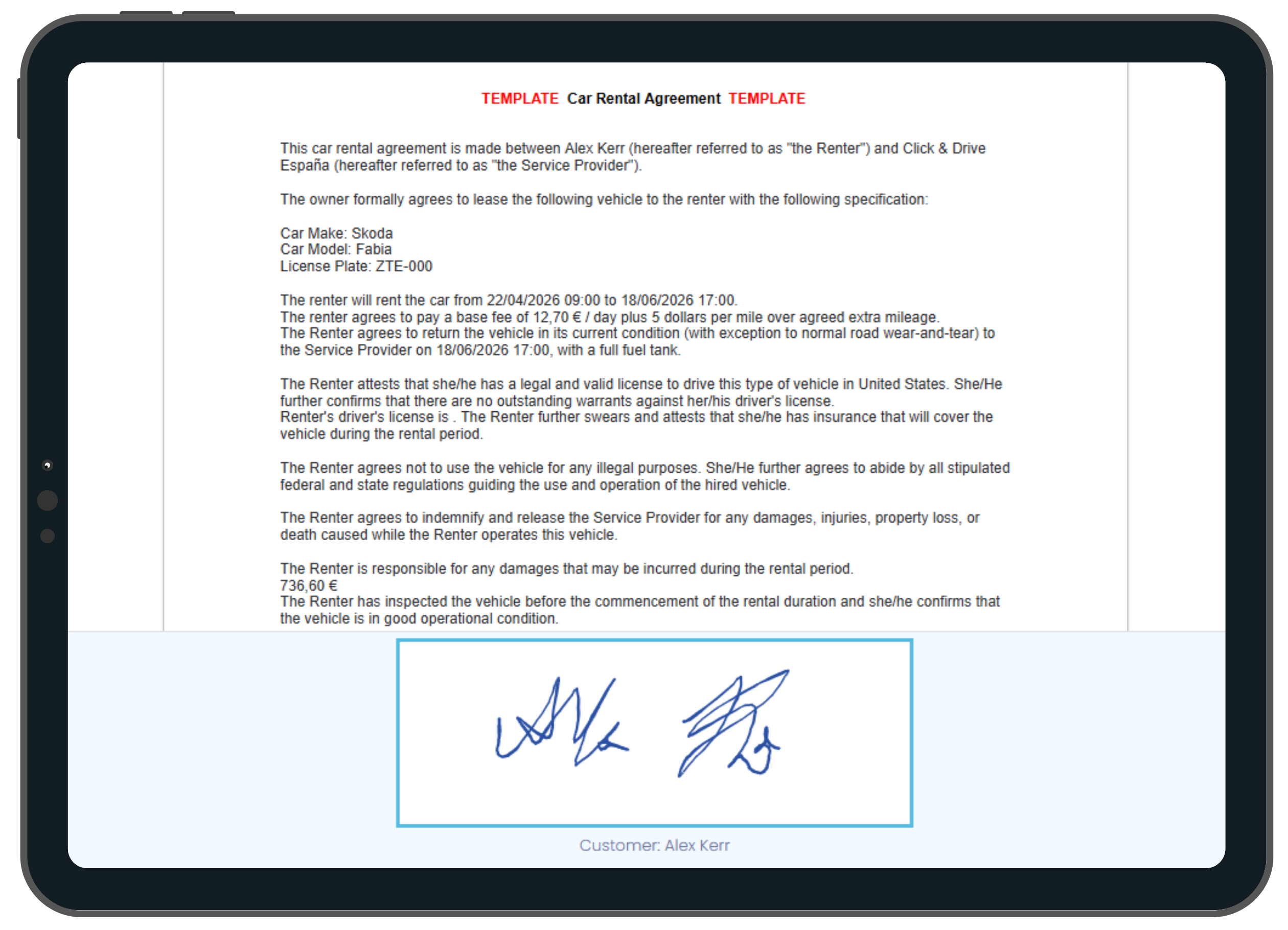
Rentgine features an integrated digital signature process that complies with eIDAS standards. Contracts can be generated and sent in advance, allowing customers to sign remotely on their own device before pickup.
Our number one recommendation is the on-site digital signature method, where customers sign directly on a tablet during handover. It keeps the process fast, paperless, and fully documented in real time.
The Takeaway
The right car rental software for medium size businesses shouldn't feel like a burden. It should feel like an upgrade that gives your team clarity, keeps your operations paperless, protects your margins, and allows you to focus on growing your fleet rather than managing daily paperwork fires. Our experience as rental software developers who have had hundreds of clients says so.
Whether you manage rentals, company vehicles, shared fleets, or something less conventional, having the right system can make day-to-day operations easier to organize.
Try Rentgine for free or book a quick, personalized demo with our team today.