Wednesday, September 30, 2026
Track Outstanding Customer Payments and Mileage in Rentgine
Keeping track of active rentals often means following up on information that doesn't always arrive on its own. A payment is still outstanding, a vehicle's mileage needs updating, or an employee has to dig through rental records to find the latest details.
Recent Rentgine improvements focus on making that information easier to access. Whether you're checking outstanding balances or requesting an updated odometer reading from a customer, fewer steps are needed to keep rental records up to date.
Track Outstanding Payments at a Glance
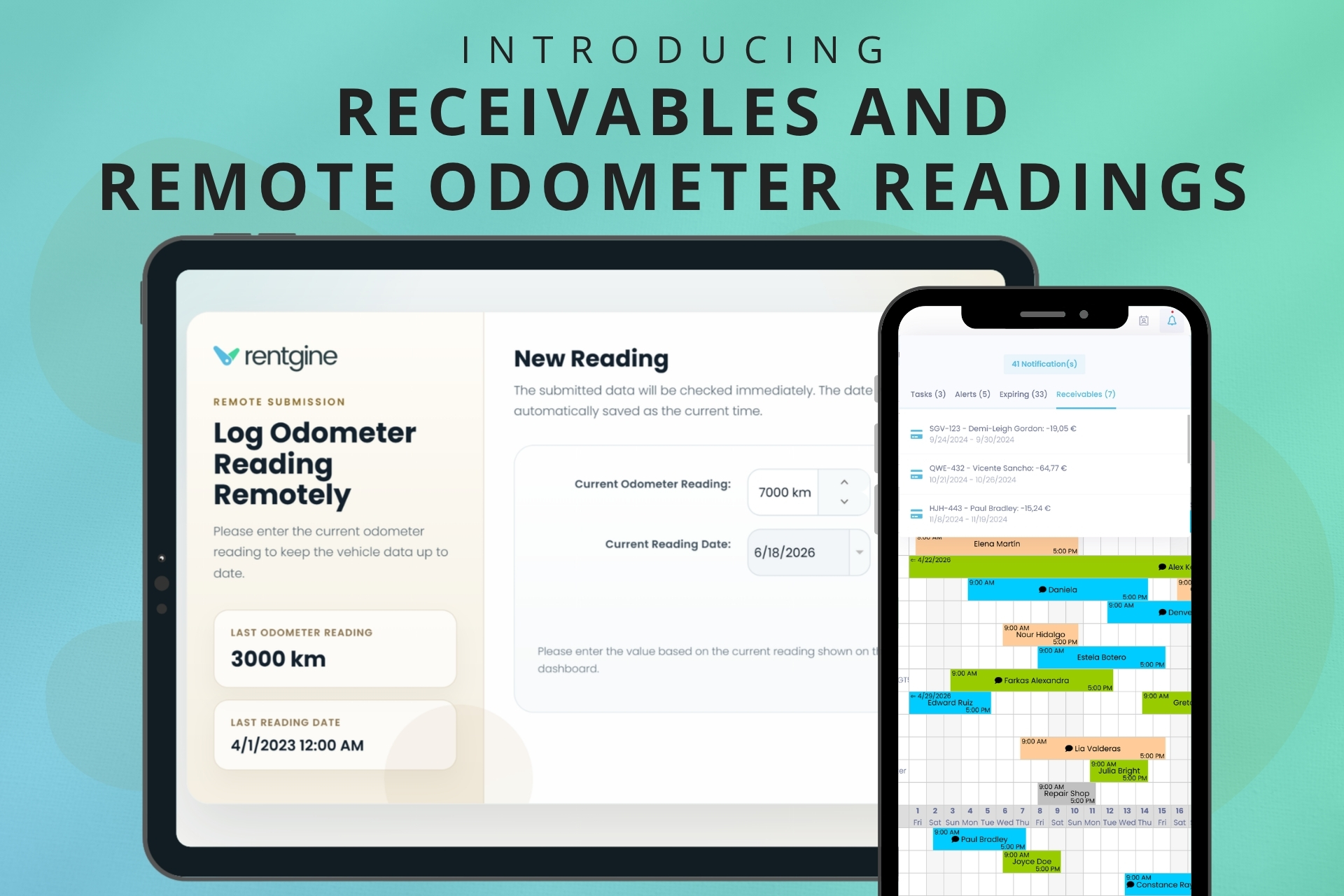
When information is easy to miss, it often leads to extra follow-up later. That’s why whenever a rental has an unpaid balance, it appears under Receivables, alongside other important notifications. Employees can immediately see the vehicle's license number, the renter's name, the rental period, and the outstanding amount.
Keep in mind that payment tracking is not automated: your team needs to record each payment the customer makes. Rentgine then calculates the remaining balance and displays it under Receivables until the full amount has been recorded as paid. Additionally, your payments arrive through your usual payment method, such as your bank account or cash register.
But instead of searching through rentals to identify unpaid balances, your team can quickly see which rentals require attention and open the relevant booking’s page with a click.
How Rentgine’s Payment Tracking Works in Real Life
Imagine a vehicle was returned last week, but the customer still has an unpaid balance.
Rather than relying on memory, sticky notes, or separate spreadsheets, the outstanding amount remains visible in Rentgine's notifications. Any employee can see that payment is still pending, open the rental, and review the financial details.
The result is a clearer overview of unpaid balances and fewer situations where receivables are overlooked.
Collect Odometer Readings Without Chasing Customers
Mileage tracking becomes more challenging when vehicles stay on the road for extended periods. Calling customers, sending emails, and manually recording updates can quickly become another recurring administrative task.
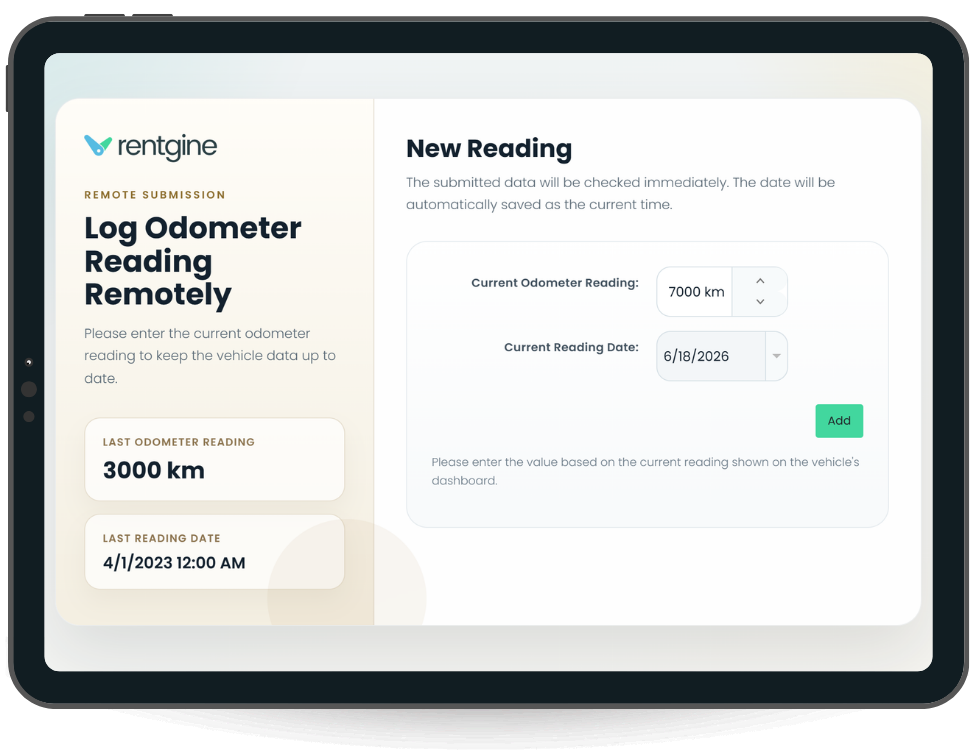
To simplify the process, Rentgine now allows users to request odometer readings remotely.
For long-term rentals in particular, employees often need updated odometer readings without bringing the vehicle back to the office. Traditionally, this means phone calls, emails, text messages, or waiting for the customer to remember to send the information.
Rentgine now makes that process much simpler.
Users (rental company owners, managers, employees) can send a remote odometer reading request directly from the system to the renter’s mailbox.
Once the request is sent:
- The customer receives an email.
- They open the email and click the provided link.
- A dedicated odometer reading page opens.
- They enter the vehicle's current odometer reading.
- They submit the form.
That’s it.
The submitted reading becomes available inside the rental, allowing employees to keep mileage records updated without manually collecting the information.
How Rentgine’s Odometer Reading Works in Real Life
Suppose you have a vehicle rented out for several months.
Halfway through the rental period, you want to check the current mileage for maintenance planning, mileage tracking, or simply to keep records up to date.
Instead of contacting the customer and manually recording the information later, you send a remote odometer request from Rentgine.
The customer enters the reading through the provided link, and the information is added to the rental's odometer records.
A task that might have required several messages can now be completed in just a few clicks.
Want to try it? This is what our free trial is for. Try our features today.
Spend Less Time Looking for Information
Whether you're tracking receivables or updating vehicle mileage, the goal is the same: make important rental information easier to access when it's needed.
By bringing outstanding balances into notifications and allowing customers to submit odometer readings remotely, Rentgine helps reduce routine follow-up while keeping rental records current.